Gamemasters · Houses
Create a House & Invite Collaborators
Spin up a collaborative House to share campaigns with other teachers, and invite them with a role — Master, Sage, or Apprentice.
Verified against app build 2f427ecbd · 2026-07-29
A House is a hub where teachers collaborate — sharing campaigns, parties, and Lore. Everyone already gets a personal House automatically on their first campaign; this page is about creating an additional, collaborative House and inviting other teachers into it.
Subscription
Requires Sovereign or higher.
Creating a collaborative House and inviting collaborators requires an active Sovereign subscription. If your Sovereign subscription lapses, existing members stay but you can’t create new Houses or send new invites.
Tier vs. role — two different things
Sovereign is the subscription tier that unlocks this feature. Master, Sage, and Apprentice are membership roles a person holds inside a House — Master = Admin/Owner, Sage = Teacher, Apprentice = Student. The House creator holds the Master role. They are different axes; don’t confuse them.
Create the House
Open Gamemaster Quarters and tap Create House
On Base Camp, switch to the Gamemaster Quarters tab (it shares one card with Party Memberships — they’re mutually exclusive tabs, not two separate cards) and tap Create House. (If you’re not an active Sovereign and already have a House, you’ll see a locked Create House (Sovereign) button that opens an upgrade dialog instead — it’s never silently hidden.)
Capture pendingThe Gamemaster Quarters tab showing the live Create House button1440 × 900 · 16:10Create House appears for active Sovereign members with no House yet.verified @ 2f427ecbd Name the House
Enter a House Name (hint: “e.g., Stark, Atreides, of Light”). A live Title preview shows the final name — for example “House Stark” — and the word “House” is added for you, so type just your identifier. Optionally add a Motto.
Capture pendingThe Create House sheet with the House Name field and the Title preview line1440 × 900 · 16:10“House ” is added automatically — type just the identifier.verified @ 2f427ecbd Save and land on the dashboard
Save. The House is created (you’re set as its Master) and you land on the House Management dashboard — an info card, then Campaigns, Source Library, and Members sections, in that order.
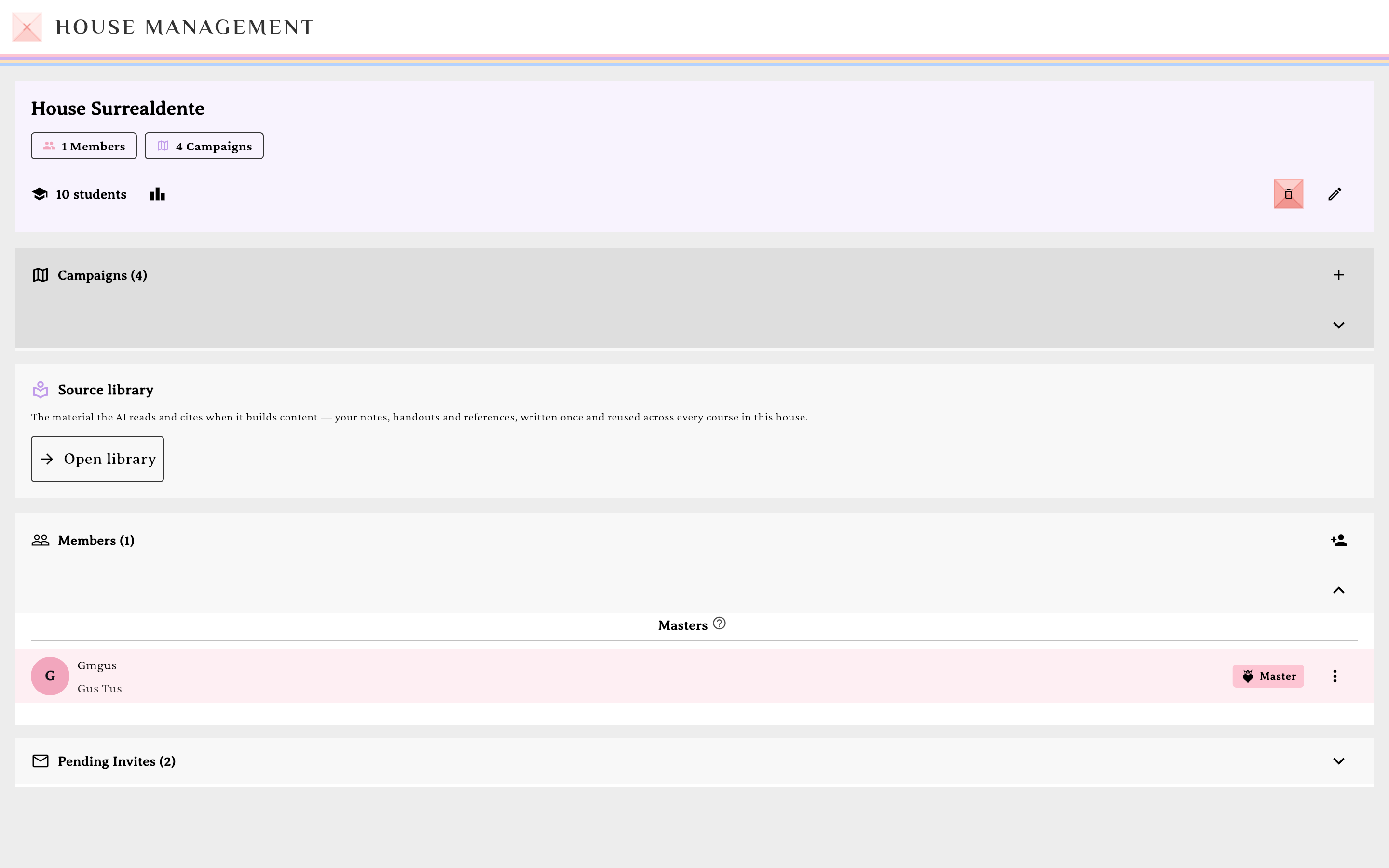
The House Management dashboard, with a Source Library card between Campaigns and Members.verified @ 2f427ecbd Open the Source Library
From the dashboard, tap the Source Library card to open the House’s source library — add web-page and document sources the whole House can draw on. These sources also feed the AI Wizard’s Sources dice when generating content for campaigns in this House.
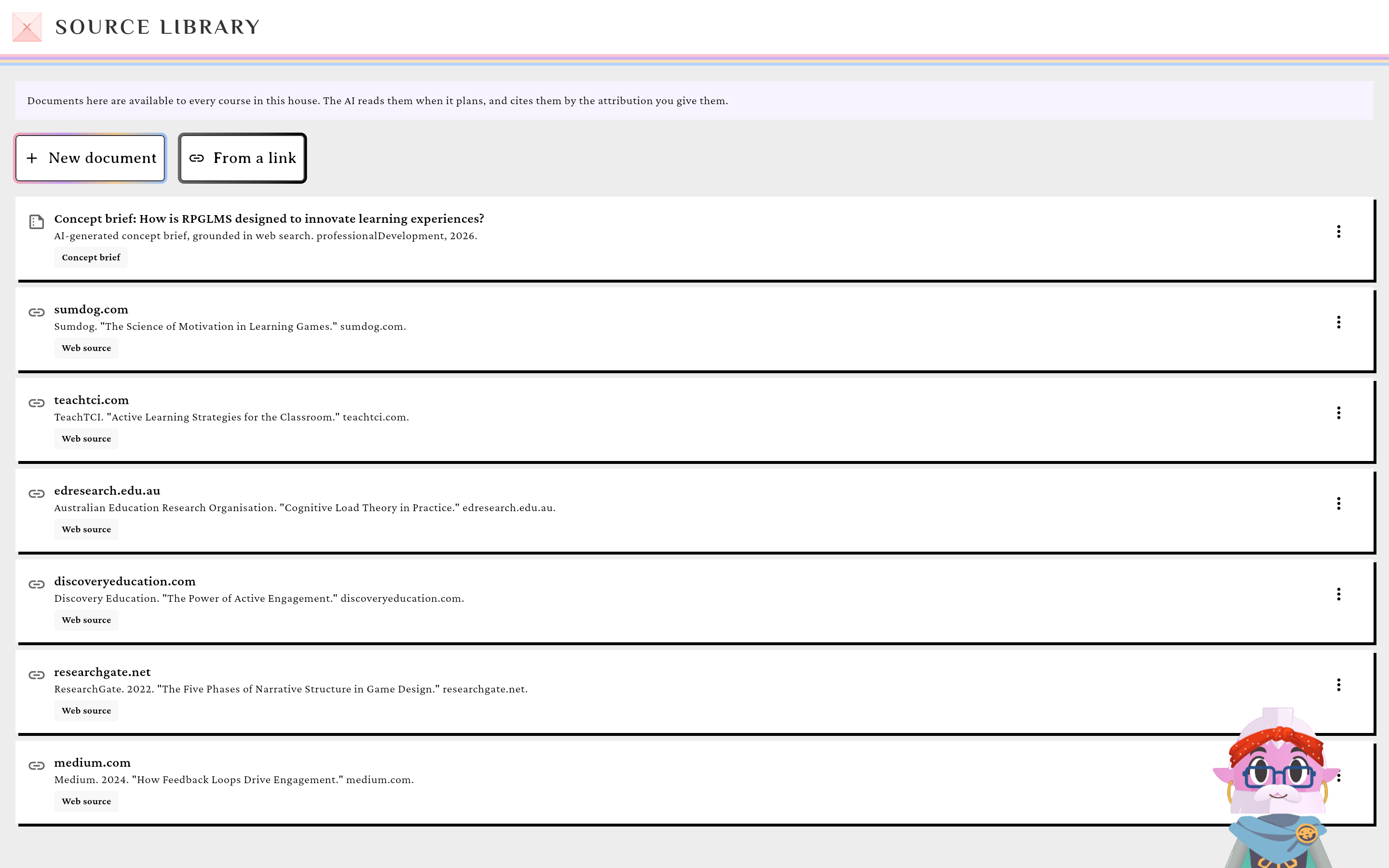
Source Library sources feed the AI Wizard's Sources dice too.verified @ 2f427ecbd
Invite collaborators
Open the invite dialog
In the Members section header, tap the Invite User icon. (If you’re not entitled it shows a lock — “Upgrade to Invite”.) The dialog is titled “Invite to <house name>”.
Enter emails and pick a role
Choose Single, Bulk, or CSV mode and enter addresses. Then pick the collaborator’s Role — Apprentice, Sage, or Master (it defaults to Apprentice). Again: these are House roles, not subscription tiers.
Capture pendingThe invite dialog showing the Role chips: Apprentice, Sage, Master1440 × 900 · 16:10Assign a House role to each invitee.verified @ 2f427ecbd Send the invites
Tap Send Invite / Send N Invites. Invitees appear in the Pending Invites card and must explicitly accept (it surfaces in their notification bell).
A first House is withheld on purpose
A brand-new Sovereign with zero Houses won’t see a standalone Create House button — your personal House auto-creates with your first campaign, and this flow is for a second, collaborative House. (For Houses attached to an enterprise Realm, the same screens use “Department” wording — see Realms.)