Gamemasters · Chronicles
Set up & Use Lore
Build your course's Lore (a kingdom, a cosmic Force, and an eight-companion cast), shared by every unit in the Chronicle and editable at any time.
Verified against app build 2f427ecbd · 2026-09-24
Lore wraps your course in a narrative — so the content feels like an adventure instead of a worksheet. Lore holds three things: the kingdom (its name and its sovereign), the cosmic Force that runs through it (a name plus two opposed aspects), and the cast: a party of eight companions.
Lore belongs to the Chronicle (the course), and every Campaign (unit) inside that course shares it. It describes where a story happens, never what happens: the what — the story type, tone, and central conflict — lives on each unit’s Quest, authored in the campaign sheet. One realm, many arcs.
Lore is also optional. A course with no Lore authored plays in the Default world, where the AI supplies a generic setting and cast and the Quest alone drives generation. Authoring Lore overrides that default.
Lore holds no villain
The Force is a dual principle, not good-versus-evil, and Lore deliberately carries no antagonist. The Boss belongs to a campaign’s Quest and each Mob to a path — they’re what twist the Force’s balance at their own scale (Force ⊃ Boss ⊃ Mob). So one course’s Lore backs every unit in it, each with an entirely different villain.
There is no Lore library
Lore is edited in place, on the course — there is no separate library to manage and nothing to link. Duplicating a course copies its Lore by value, so editing one course’s Lore touches that course alone.
Author your course’s Lore
Open the course's Lore
Open your Chronicle (course) and use the Lore card’s Edit Lore action — the same editor opens from the course’s edit sheet. On a course still playing in the Default world, the action reads Customize instead.
The course page also carries a read-only door: Explore “<Kingdom>”’s Lore & Characters opens the Lore the way a student meets it — the opening passage, then all eight companions with their roles, and keeps Edit Lore in its bottom corner.
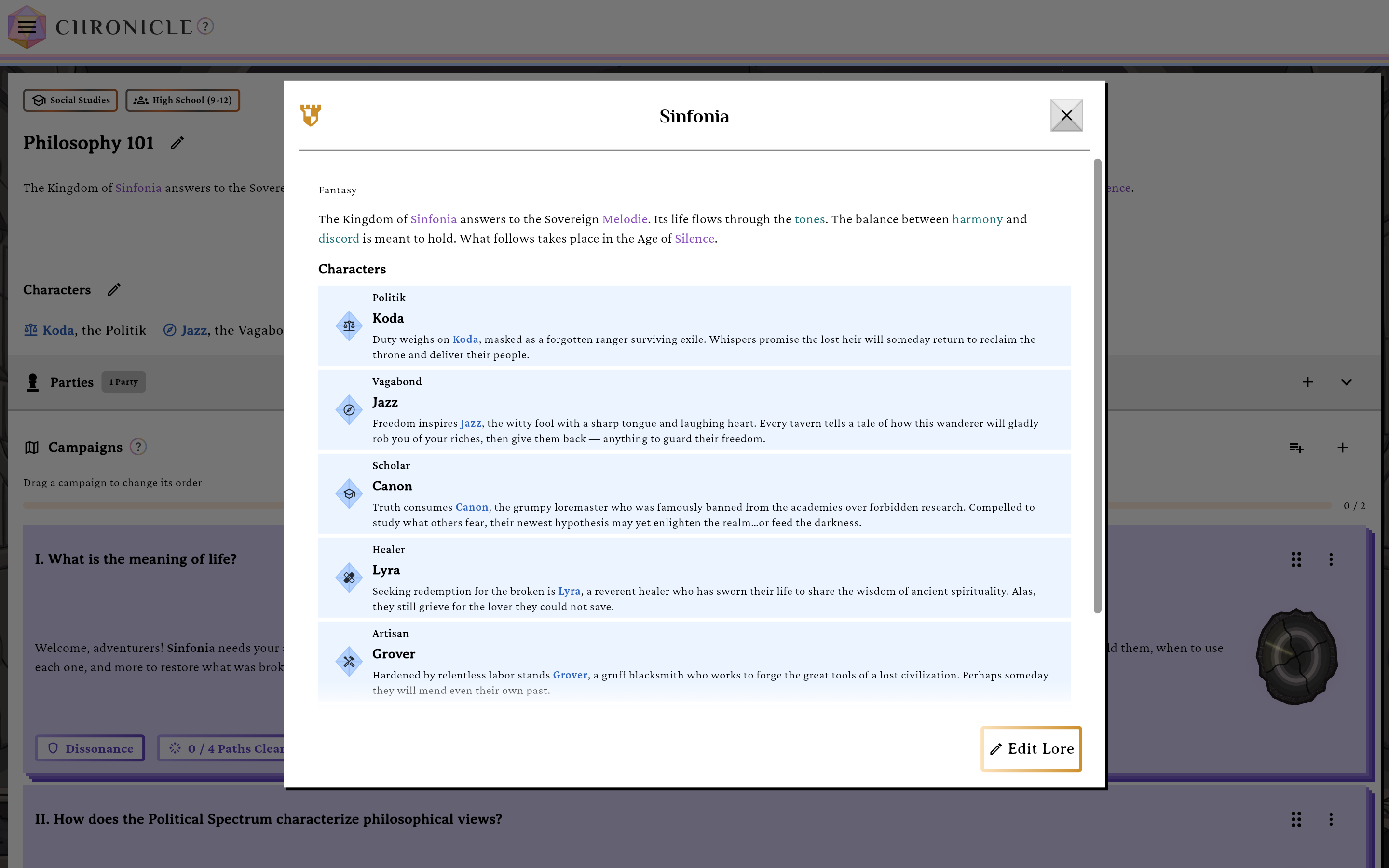
The read-only Lore door, with Edit Lore in the corner.verified @ 2f427ecbd Authoring is Guided only: an inline mad-lib composes the Lore from single-word blanks, first for the kingdom and Force as one untitled opening passage, then for The Party: the eight companions, each with its own set of typed blanks. Tap any highlighted word to change it. There’s no fill-it-for-me shortcut; every blank ships with a sensible default, so a Lore is already valid the moment you open it and you only edit what you care about.
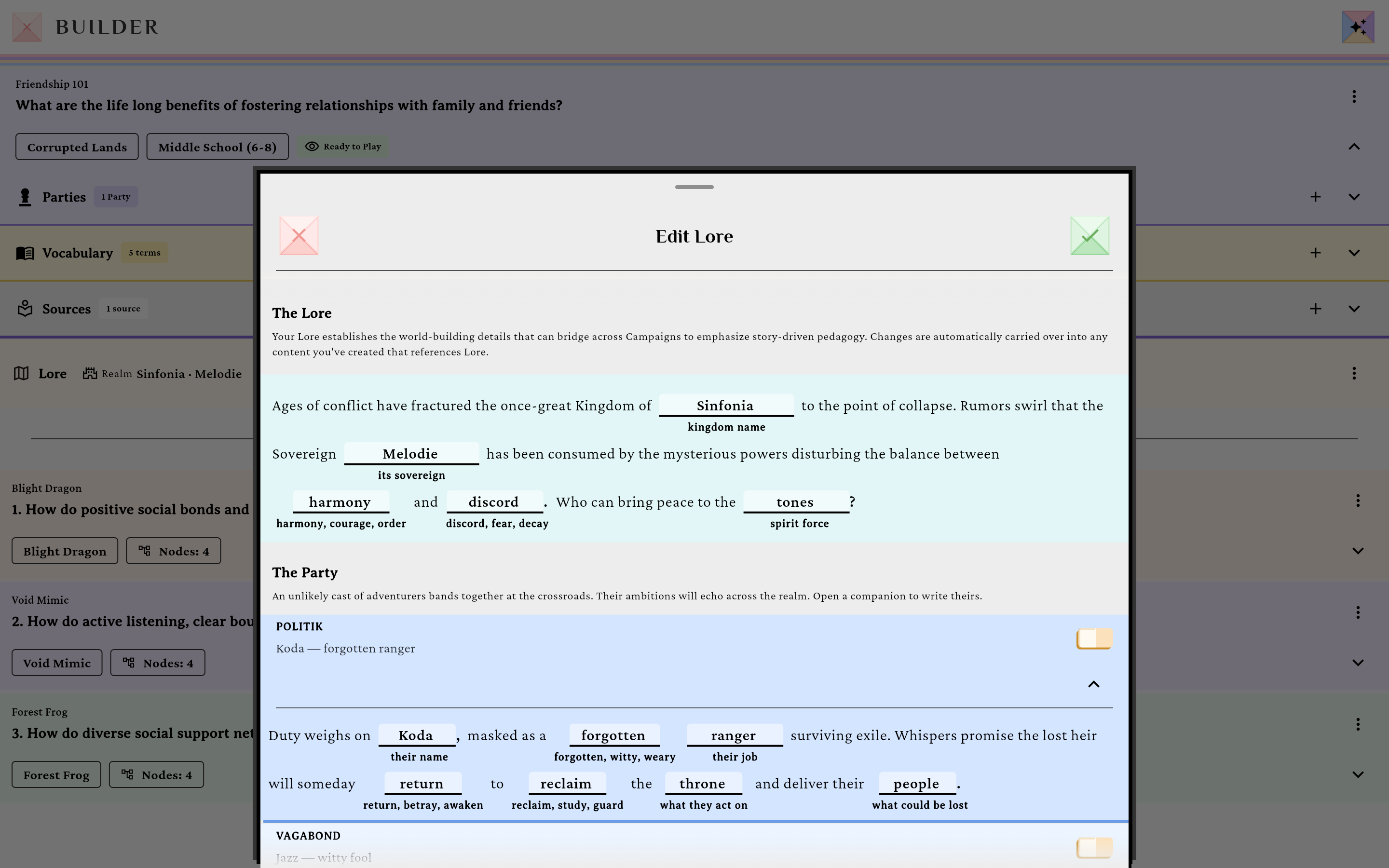
Guided mode composes the Lore from inline blanks.verified @ 2f427ecbd The editor opens straight into the blanks under The Lore; there is no freeform mode to switch to.
Save the Lore
Save. It is stored on the course itself and takes effect immediately for every unit in it — there is nothing further to attach.
Change Lore later
Edit or replace the course's Lore
The course’s Lore card offers two actions: Edit Lore opens the editor on what’s already there, and Replace Lore starts the mad-libs over from a fresh set of blanks. Either way the change applies to the whole course the moment you save, and to no other course.
Nothing to sync
There are no templates and therefore nothing to sync. The older “Sync from Template” action and its staleness indicator were removed along with the shared-world model — if you see them referenced anywhere, that reference is stale.
Ownership & access
Editing a course’s Lore requires edit rights on that Chronicle — the same gate as editing the course itself, which is its creator plus anyone its House grants. Some server messages still say world, the internal name for Lore. Grounding AI generation on Lore additionally requires the Patron tier or higher, but authoring Lore does not.