Gamemasters · Synth
Generate or Revise Inside a Campaign with Synth
Fill a Campaign's empty Nodes with Synth, or revise its outline.
Verified against app build 1.3.2 · 2026-11-18
Use Synth to write the empty Nodes (lessons) of a Campaign (unit), or to revise an outline you already have. To draft the Paths (chapters) first, see Draft a Whole Campaign with Synth.
Subscription
Synth needs a Patron plan or higher. Writing Node content spends credit. Outline planning costs 0 credits each day, up to a limit. See Change Your Plan or Buy Credit if a request says you are out of credit.
Open Synth on the Campaign (unit)
In the Builder, open the Campaign card’s
⋮menu and choose Synth. Edit Campaign opens on the Paths stage, which lists what Synth can do.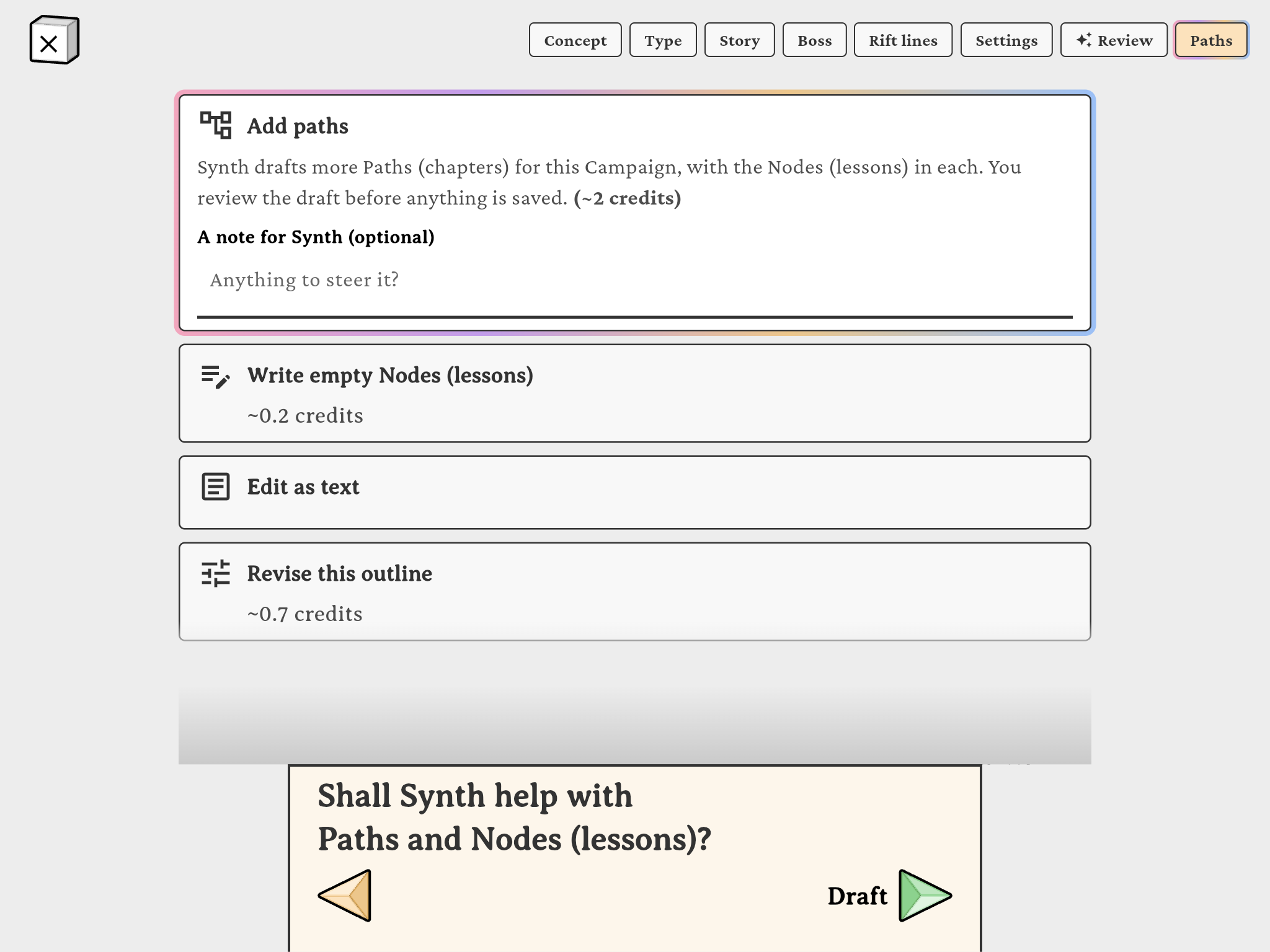
What Synth can do on a Campaign.verified @ 1.3.2 Choose an action
- Complete Node Scenes with Synth writes the Beats (steps) and Checks (lesson steps) for every Node that has no content yet.
- Revise with Synth studies the Paths and Nodes you have and proposes changes. Tap Note to steer it with A note for Synth (optional).
Sources and Research topic give Synth material to draw on. Settings sets the mode: Cost, Balanced or Performance. On a Patron plan Synth reads each source’s title and summary.
Run, review, and apply
To write Nodes, tap Complete in the dock and accept the Confirm dialog. When the draft arrives, tap Review to read it, then Apply. To revise, tap Revise. Synth shows its plan as a checklist: untick any step to skip it, tap Start, then Apply when it finishes. The run happens on the server, so you can close the page.
After that
- If a run finished while you were away, find its Synth finished row in Notifications.
- To go back, tap Undo on the result, or open History in the Builder for its Restore points. One is kept before each Synth save, the last 10.